For passengers, accessibility and drivers

    Realtime information and practical tools for public transport

    Follow vehicles in realtime, plan journeys, access public-transport information more easily, and use functions designed for passengers and approved drivers.

    • Realtime information
    • Journey planning
    • Bussenmin Accessibility
    • Driver tools
    Core features without an accountFree for iPhone and Android
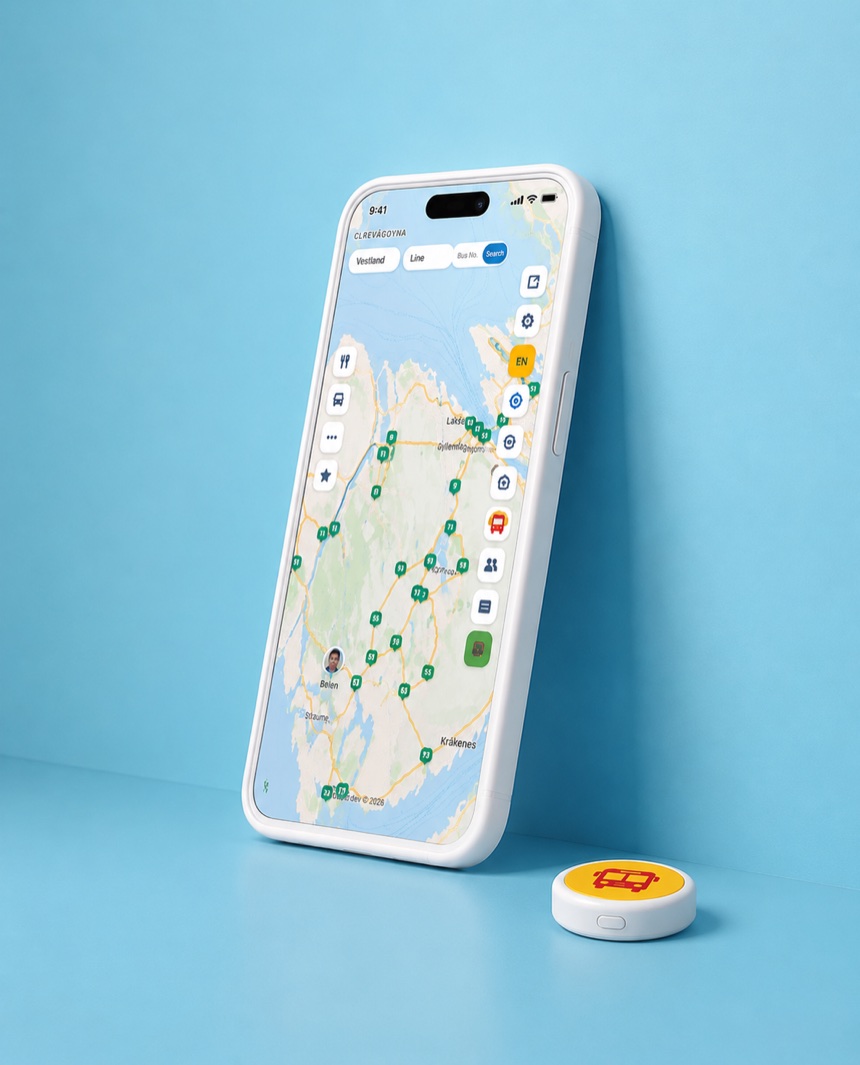
    The Bussenmin app showing realtime public transport vehicles on the map beside the small physical Bussenmin Button.

    For passengers, accessibility and drivers

    Realtime information is at the core, with dedicated tools for different sides of the public-transport journey.

    For passengers

    Realtime information and practical tools for finding, planning and following a public-transport journey.

    • See supported vehicles in realtime.
    • Find nearby stops and departures.
    • Plan journeys and compare route options.
    Bussenmin Accessibility

    A physical Bussenmin Button and dedicated Screen Reader Mode make relevant public-transport information easier to access for blind and low-vision passengers.

    • Small personal physical Button.
    • Screen Reader Mode for VoiceOver and TalkBack.
    • Select a departure or planned journey for the Button.

    For approved drivers

    A dedicated driver side connects approved drivers with relevant vehicle, passenger and journey information.

    • Register as the active driver of a vehicle.
    • Share current driver announcements.
    • Receive boarding and alighting signals for the relevant vehicle where supported.

    Real-time information depends on data supplied by transport operators and may be delayed or unavailable. Some features vary by platform, account, area and data source.

    Bussenmin Accessibility

    A physical Button. A dedicated Screen Reader Mode. More accessible public-transport information.

    Bussenmin Accessibility is designed for blind and low-vision passengers and combines the physical Bussenmin Button with a dedicated Screen Reader Mode for VoiceOver and TalkBack.

    Passenger with the physical Bussenmin Button attached to a strap
    The physical Bussenmin Button can be carried while travelling and gives quick access to relevant public-transport information.

    The physical Bussenmin Button

    Simple Button interactions provide quick access to relevant spoken public-transport information with minimal dependence on visual screen interaction.

    • Hear nearby stops, platforms and departures.
    • Select a specific departure or planned journey for the Button to focus on.
    • Receive onboard guidance and stop information when the required data is reliable.

    Screen Reader Mode

    When Bussenmin detects VoiceOver or TalkBack, it automatically presents a simplified, linear and text-oriented interface. Passengers can find departures, use Timetable, plan journeys, and select a departure or journey for the Bussenmin Button.

    Bussenmin describes vehicle information as live only when the data is fresh and reliable. Otherwise, the information is identified as estimated or unavailable.

    Bussenmin on your phone

    Current screenshots from the iPhone version show the live map, departures and journey planning.
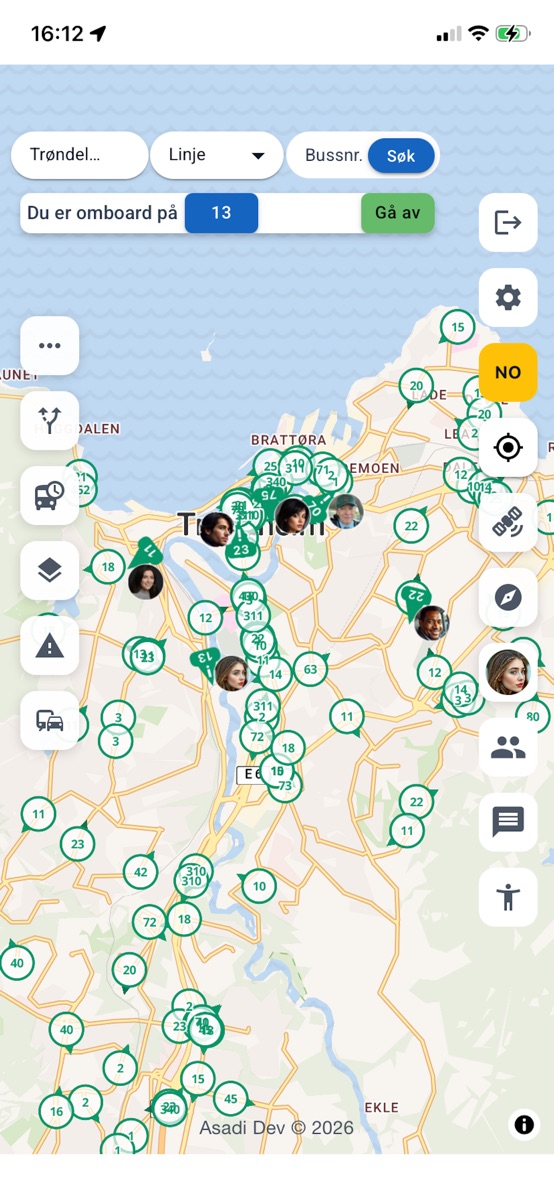
    The Bussenmin map with bus lines, vehicles, map controls and an active onboard status.
    Live map
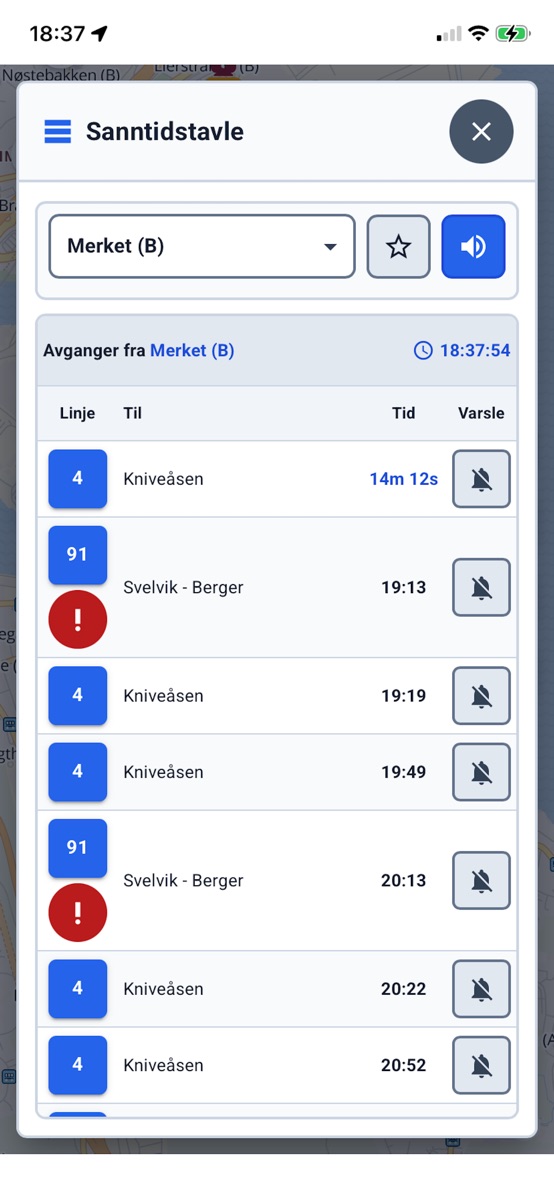
    The Bussenmin Real-Time Board with a selected stop, upcoming departures and reminder controls.
    Real-Time Board
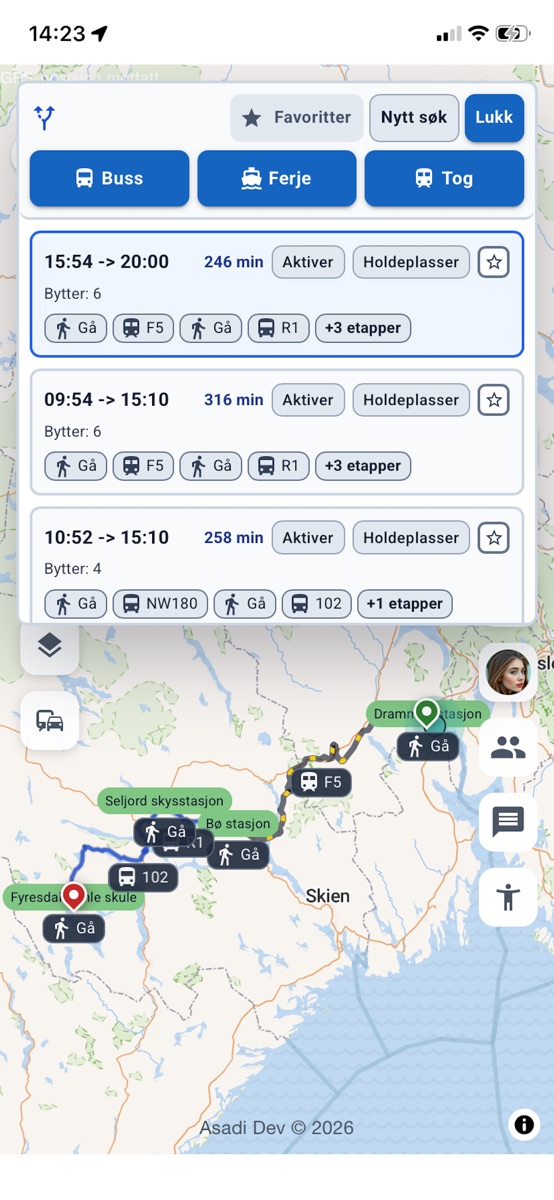
    The Bussenmin journey planner with journey options, transfers and a selected route on the map.
    Journey planner

    The screenshots use the Norwegian interface. Screens and feature availability may vary by app version, platform, account, area and data source.

    The driver side of Bussenmin

    Tools for approved drivers

    Approved drivers can use a dedicated side of Bussenmin to register as the active driver of a vehicle, share useful announcements, and connect driver and passenger information.

    Driver information, announcements and praise are available only when an approved driver is active in Bussenmin and the required data can be matched.

    • Switch between passenger and driver mode and register as the active driver of the relevant vehicle.
    • Send and save announcements with text, templates, a photo and selected duration.
    • View anonymous praise from passengers and find other approved drivers through Driver Colleagues.
    • When the required conditions are met, the driver may receive a boarding or alighting signal for the relevant vehicle. The signal is an additional aid and does not confirm that the passenger is at the door.

    How to get started

    Use only the features you need — the main travel tools do not require an account.

    1. See what is happening now

      Open the map to view available vehicles, stops and traffic alerts in the area.

    2. Plan or find a departure

      Use the journey planner or Real-Time Board to compare times and options.

    3. Follow the journey

      Open vehicle details, follow a selected vehicle and use optional departure reminders.

    4. Choose what is relevant

      Use Bussenmin Accessibility, optional personal and social functions, or driver tools when they are relevant to you.

    Personal, social and privacy choices

    Friends, Messages and sharing are optional. Core travel features work without an account, and you control visibility, notifications and account data.

    Friends and encrypted messages

    When you choose to use an account, you can find Friends and send end-to-end encrypted messages.

    Visibility and anonymous contributions

    You decide whether to be visible while onboard. Journey ratings and praise can be submitted anonymously.

    Control over account data

    Manage privacy and notification settings, export your data and delete your account from the app.

    Ready for a clearer public transport journey?

    Bussenmin is free to download. Core travel features work without an account.

    🇳🇴 Available in Norway

    Features and data coverage may vary by platform, account, area and data source.